
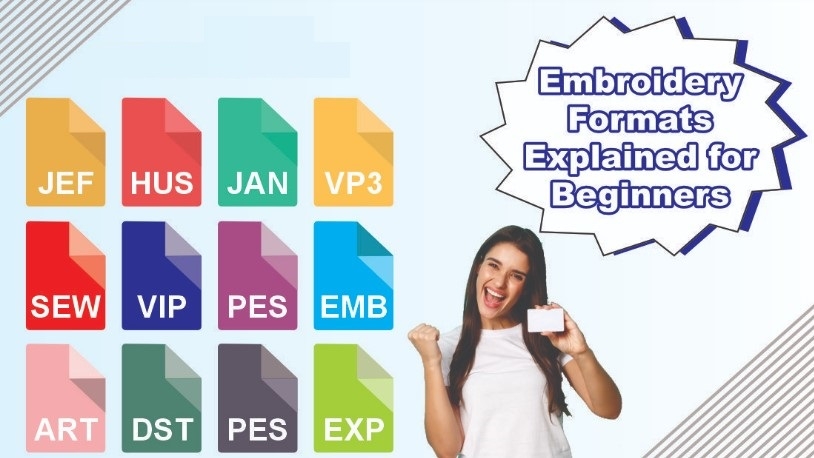
When working with embroidery machines, understanding Embroidery File Formats is just as important as the design itself. You can have the best artwork in the world, but if the file format is wrong, the machine will not stitch it properly. Each embroidery machine reads specific formats. Using the correct one helps you avoid errors, thread breaks, and wasted fabric.
Many beginners feel confused when they see file names like DST, PES, or EXP. That is normal. These files are not images. They are stitch instructions. Once you learn how they work, embroidery becomes much easier and more predictable.
What Are Embroidery File Formats
Embroidery file formats are stitch-based files.
They tell the machine:
- Where to move the needle
- When to change thread color
- How dense the stitches should be
Without the right format, the machine cannot read the design.
Why File Formats Matter in Embroidery
Choosing the wrong file can ruin a design.
Common Problems
- Design does not open
- Stitches are missing
- Colors appear wrong
- Machine stops mid-run
Using the correct format ensures smooth stitching.
Image Files vs Embroidery Files
Many people confuse images with embroidery files.
Image files
- JPG
- PNG
These only show pictures.
Embroidery files
- Contain stitch paths
- Control needle movement
- Work on machines
Images must be digitized before stitching.
Most Common Embroidery File Formats
Different machines need different formats.
DST File
- Very common format
- Used by Tajima machines
- Holds stitch data only
DST is strong but does not store color info.
PES File
- Used by Brother and Babylock
- Supports color dat
- Easy to edit
PES is great for home and small shops.
EXP File
- Used by Melco machines
- Simple stitch format
- Reliable and stable
EXP files work well for commercial use.
JEF File
- Used by Janome machines
- Supports color and stitch data
- Popular with home users
JEF files are user-friendly.
VP3 and VIP Files
- Used by Husqvarna and Pfaff
- Supports advanced stitching
- Good for detailed designs
These formats allow better control.
Why One Design Needs Many Formats
One design cannot fit all machines.
Reasons
- Machines read different codes
- File structure varies
- Stitch commands differ
Professional embroidery often needs many versions.
Choosing the Right Format for Your Machine
Always check your machine manual.
Simple steps
- Know your machine brand
- Confirm supported formats
- Test small designs first
This avoids costly errors.
How Digitizing Affects File Quality
Digitizing turns artwork into stitches.
Good Digitizing
- Clean stitch flow
- Balanced density
- Proper underlay
Poor Digitizing
- Thread breaks
- Puckering
- Messy edges
Format alone cannot fix bad digitizing.
Auto Conversion vs Proper Digitizing
Auto tools change file type only.
Auto Conversion Limits
- No stitch planning
- Poor results
- Limited control
Manual digitizing creates better embroidery.
Understanding Stitch Data Inside Files
Each file holds key details.
Stitch Data Includes
- Stitch length
- Direction
- Density
- Color order
These details affect final quality.
Editing Embroidery File Formats
Some formats are easy to edit.
Editable Formats
- PES
- VP3
- PXF
Others like DST are harder to edit.
Common Mistakes With File Formats
Using wrong format
Design will not run.
Ignoring Machine Limits
Leads to stitch errors.
Skipping Test Runs
Wastes fabric and thread.
Best Practices for Professional Results
Follow These Tips
- Always test stitch
- Match format to machine
- Use quality digitizing
- Keep backup files
These habits save time.
Why Professionals Use Multiple Formats
Professionals work with many machines.
They Need
- Flexible file options
- Clean stitch data
- Consistent quality
Multiple formats help serve more clients.
Future of Embroidery File Formats
New machines bring new features.
Trends Include
- Better stitch control
- More editable formats
- Faster processing
Learning formats keeps you ahead.
Final Thoughts
Embroidery success depends on more than just design skill. File formats control how your machine reads and stitches every detail. When you understand formats, you gain control, confidence, and better results.
For clean, machine-ready embroidery files in the right formats, Digitizing Buddy provides expert digitizing solutions that help your designs stitch smoothly and look professional every time.

 Arabic
 French
 Spanish
 Portuguese
 Deutsch
 Turkish
 Dutch
Dutch
 Italiano
 Russian
 Romaian
 Portuguese (Brazil)
 Greek
Greek